Art Gallery System
CuratorPro.art
Art Gallery Software Systems
For Curators and Art Gallery Admins
Welcome to Davinci Art Gallery System where we empower art galleries to thrive with cutting-edge management tools designed specifically for the art industry. Our all-in-one solution streamlines administration, financial tasks, inventory management, consignment processes, and more, ensuring you can focus on what you do best: showcasing art.
The Premium Art Gallery modular software package for Art Professionals. Remove Art Gallery management bottlenecks, i.e. easily create productivity with managed workflow in art gallery inventory, invoicing, customer and artist databases, consignment management, automatic web page creation and publishing, artist portal, using beautiful templates. We at 1CloudSoftware Ltd provide outstanding productivity enhancing workflow solutions since 1996.
Key Features for Art Gallery Effectiveness
✔ Client Management
Keep track of your clients
✔ Artwork Inventory Management
Never lose track of your artworks
✔ Consignment Management
Manage artist consignment with ease
✔ Artist Management
Keep track of your artists
✔ Photo Management
Keep track of your art images
✔ Photo Management
Keep track of your art images
✔ Save Time and Money
Get control and a high ROI
✔ Web Page Creation / CMS
Build stunning web pages effortlessly incl Artist Portal
✔ Web Publishing
On-The-Fly-Web-Publishing
✔ Marketing and Sales Tools
Drive your gallery's growth with effective marketing strategies
✔ Fully Customiseable
Meeting your Requirements
✔ Art Gallery Administration
Simplify your gallery's daily operations
✔ Consignment Management
Finally an easy way to get everything right
✔ Automatic Business Reports
Get back into the driver's seat with auto reports
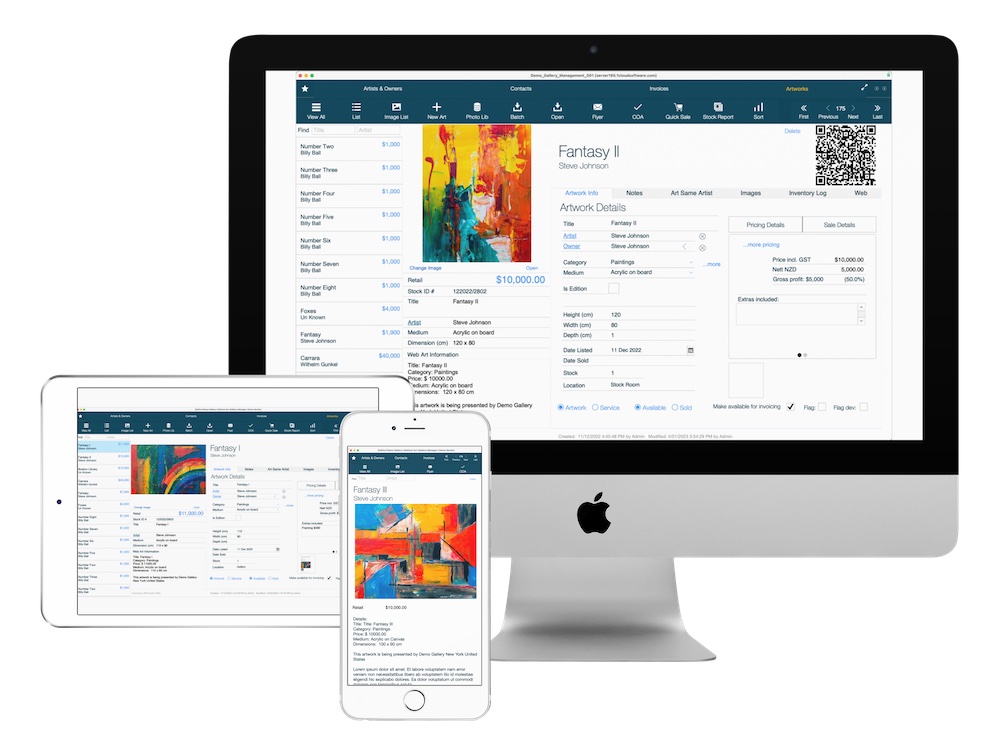
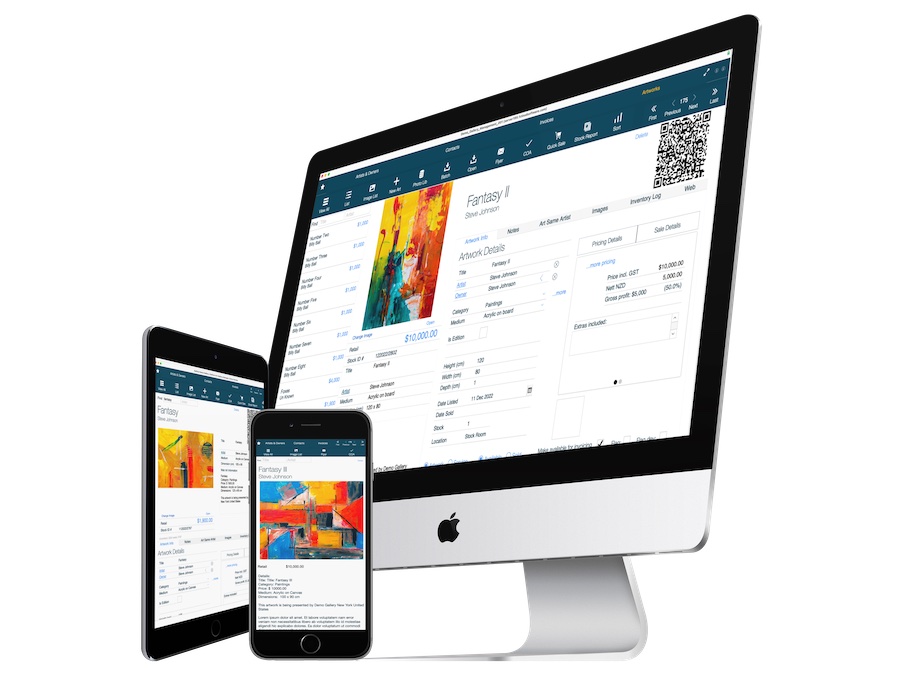
Art Gallery Software on Desktop
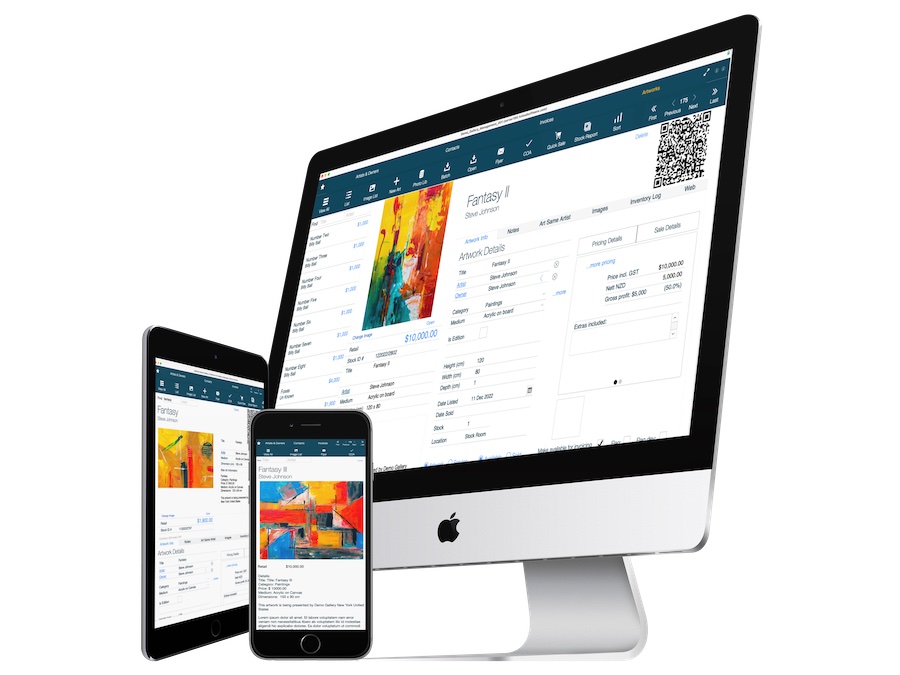
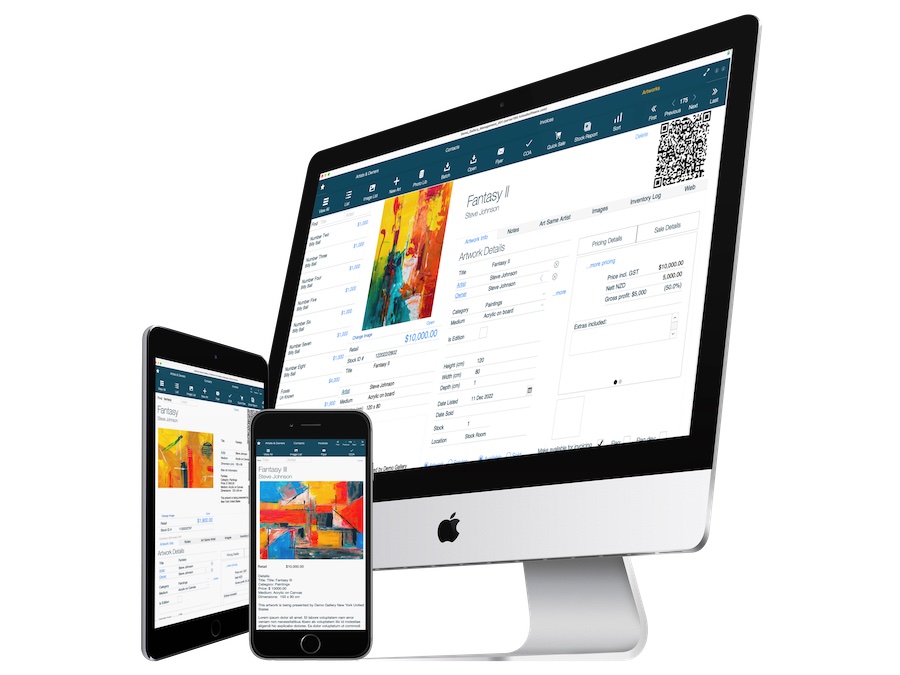
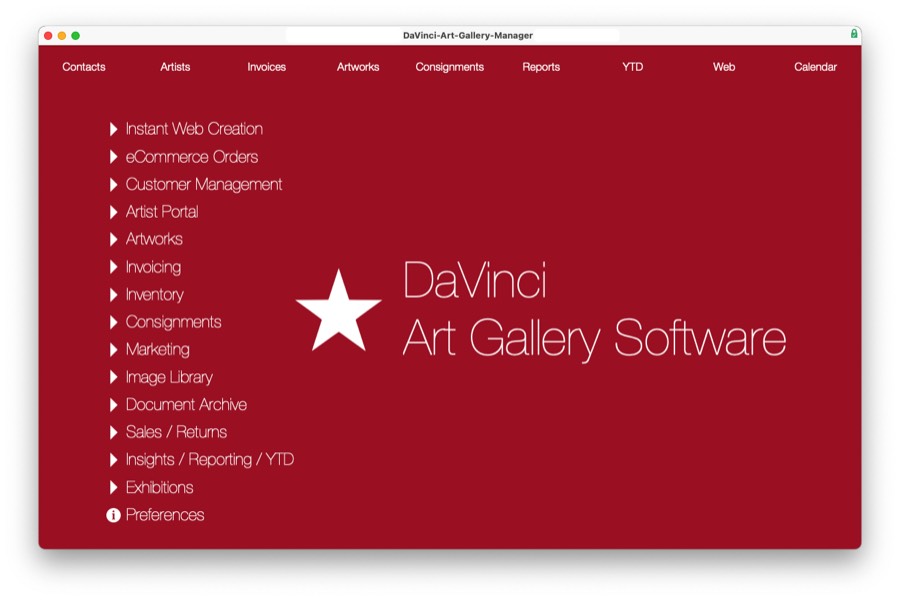
Art Gallery Software Menu
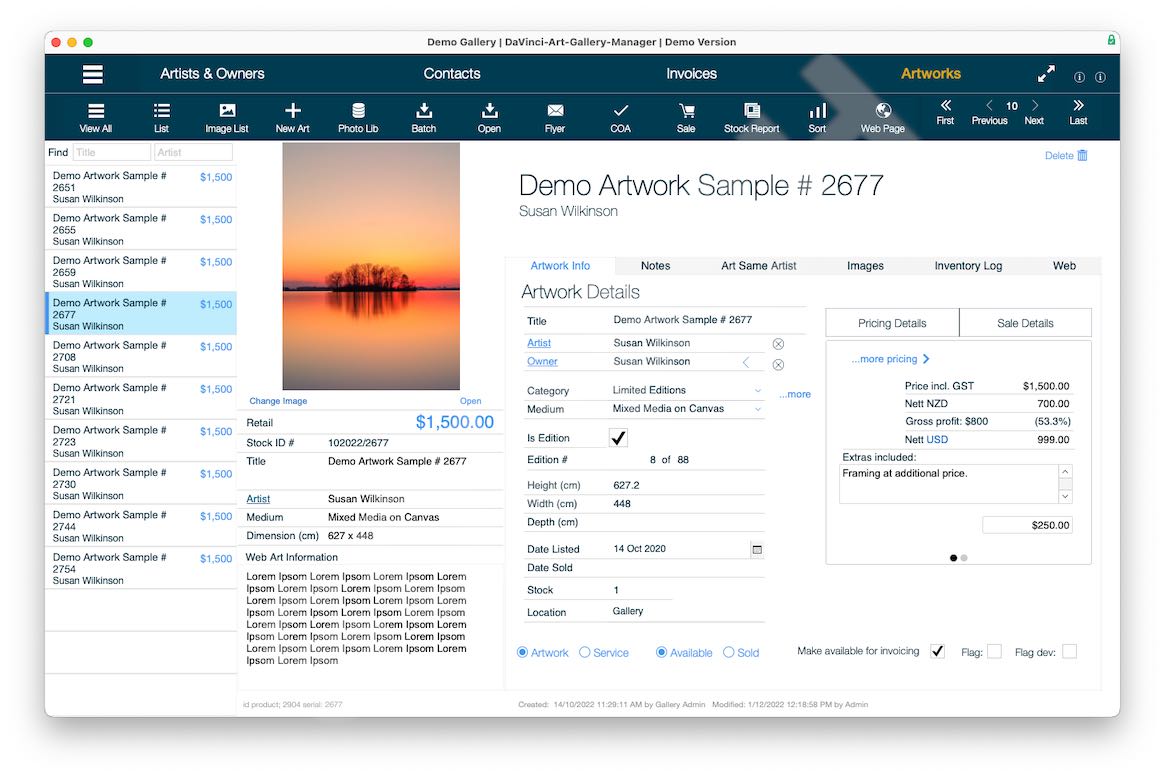
Artwork Details Layout
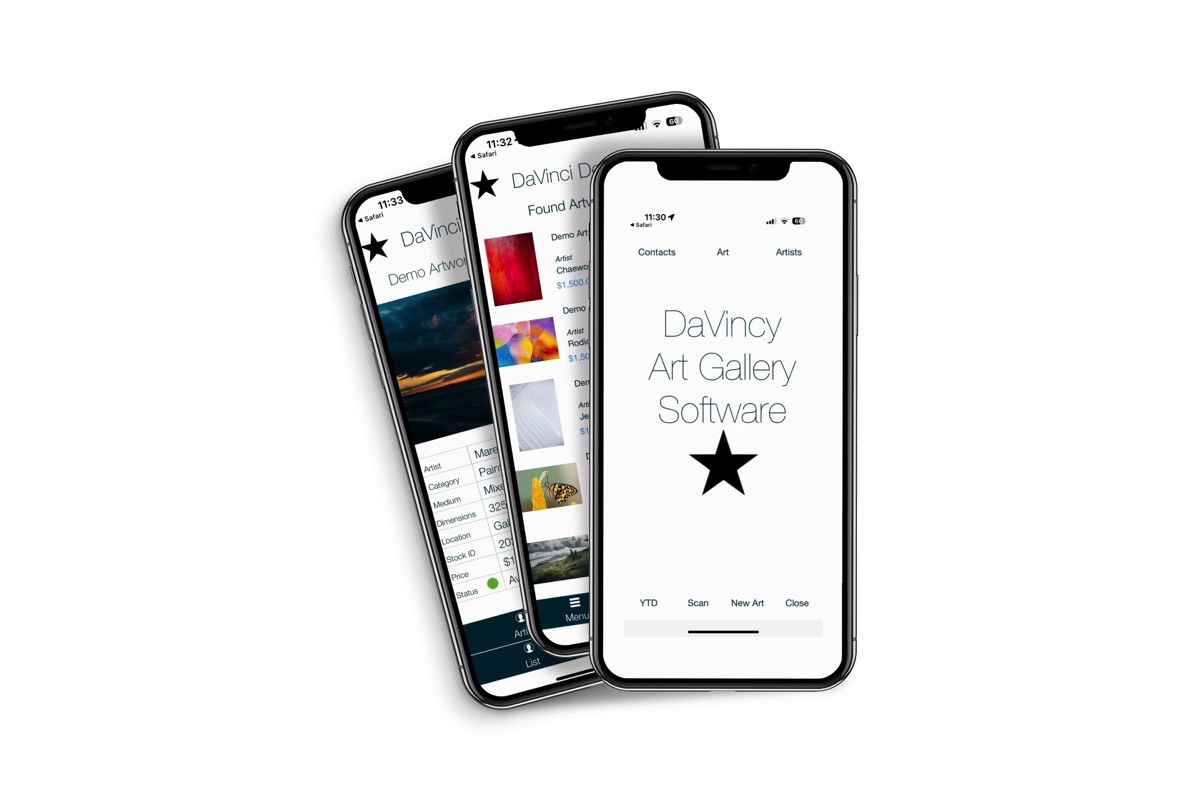
Art Gallery Software on iPhone & iPad
Art Gallery Software on iPhone
Click images to enlarge
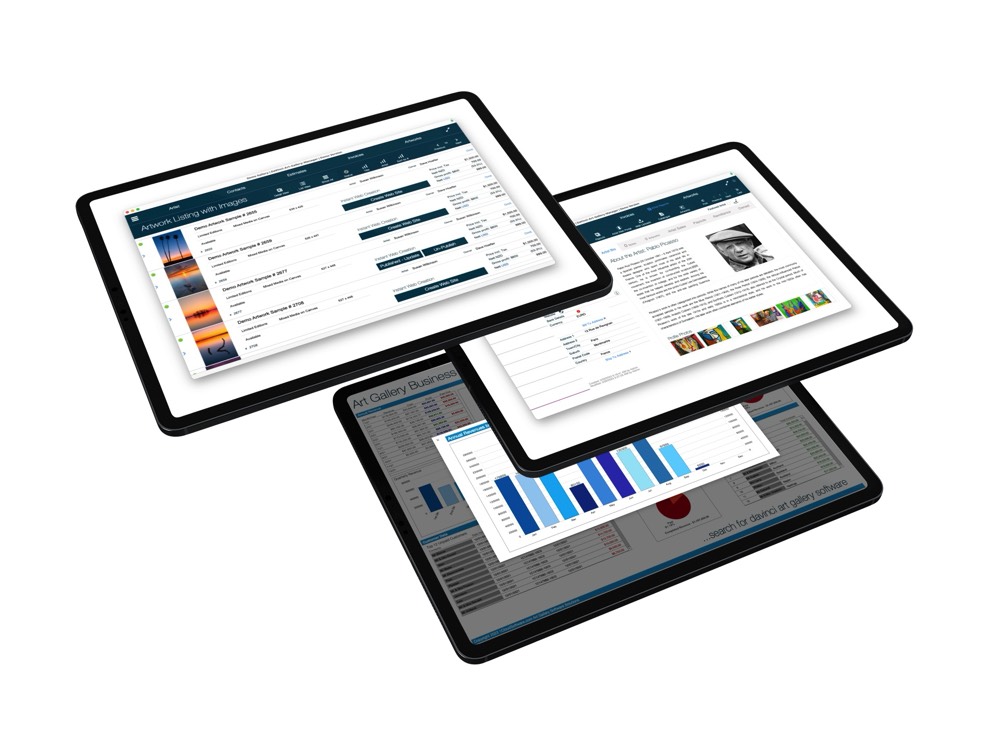
Art Gallery Software on iPad
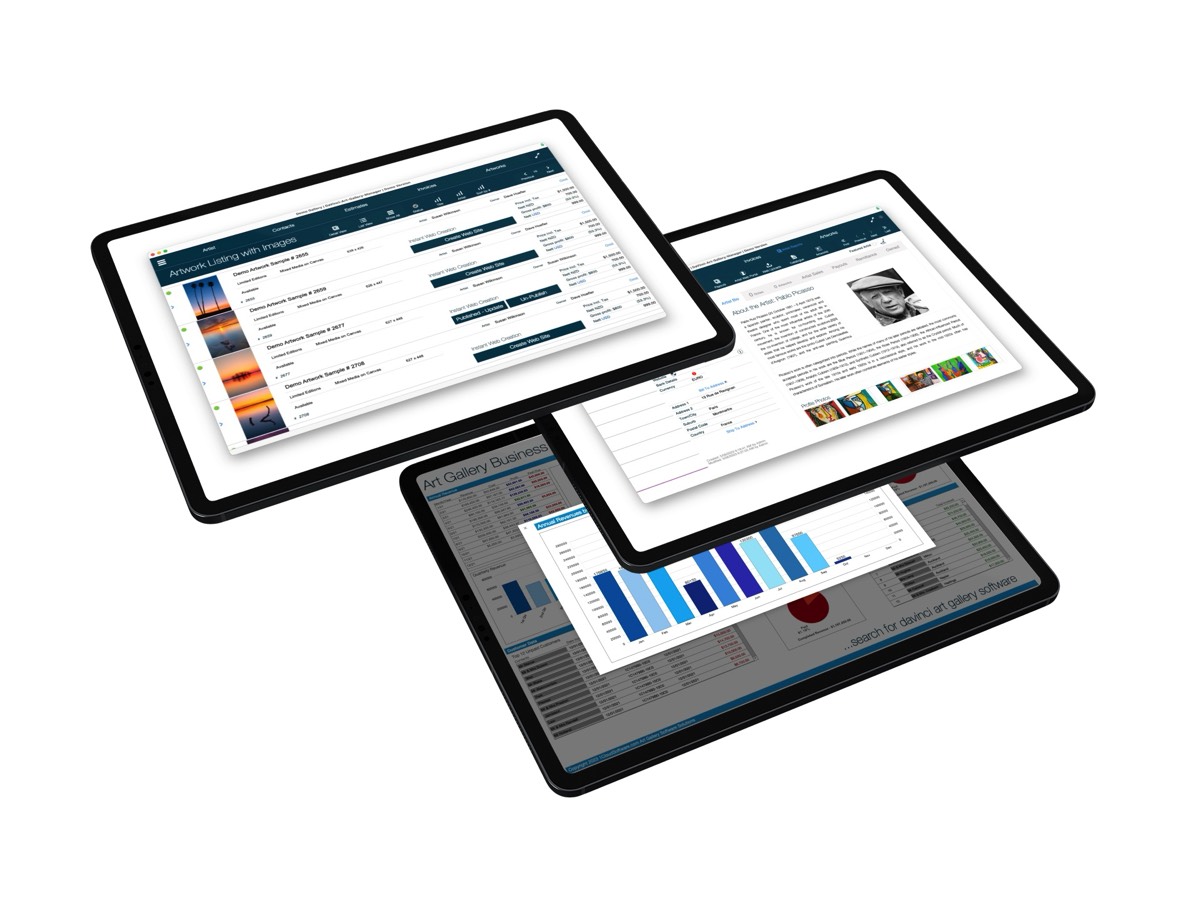
Automatic 'On-The-Fly' Web Page Creation & Web Publishing
Instant Web Page Creation
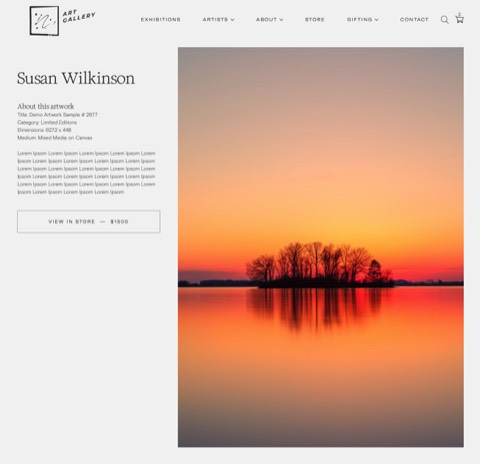
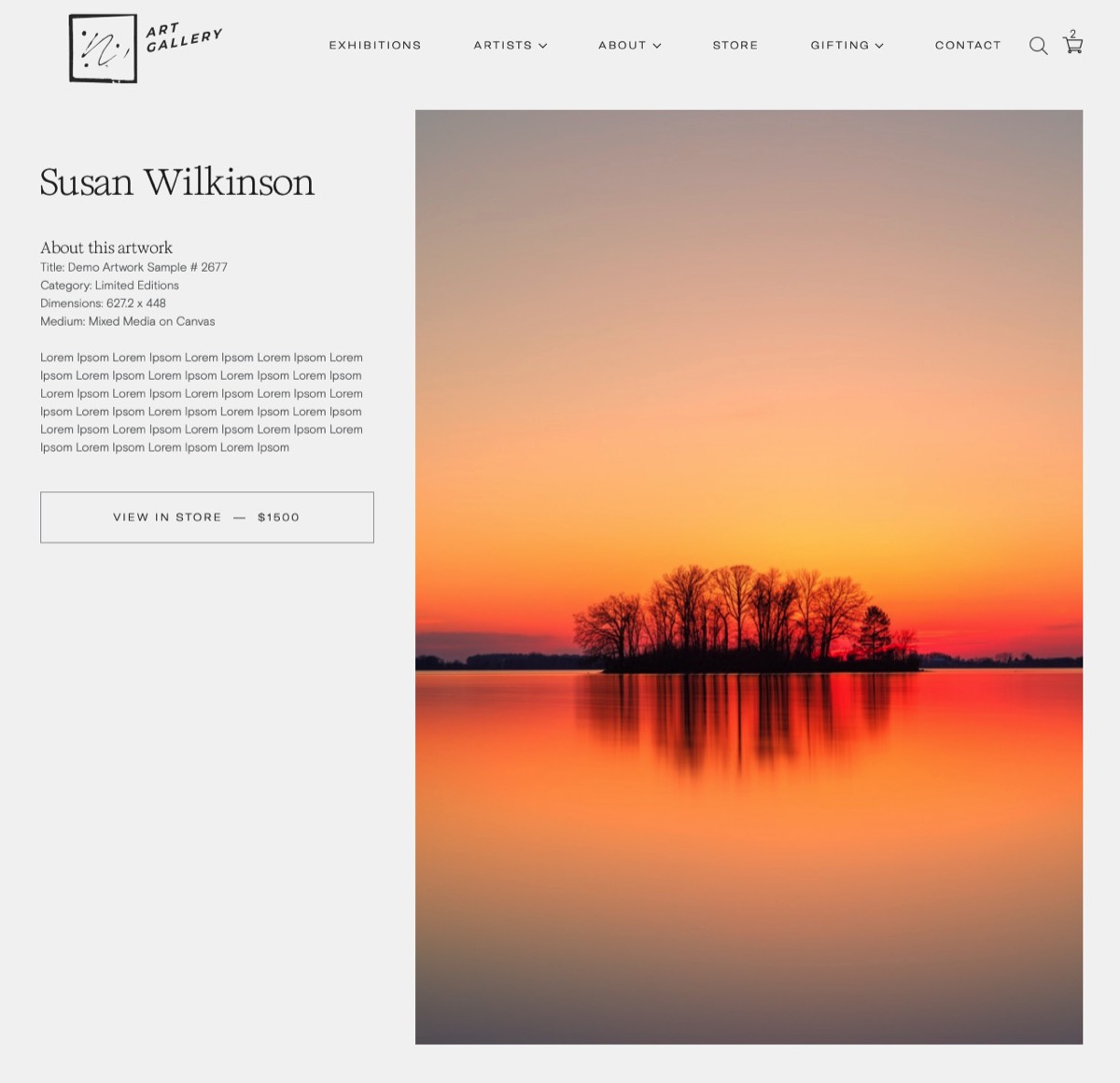
Instant Web Page Listings
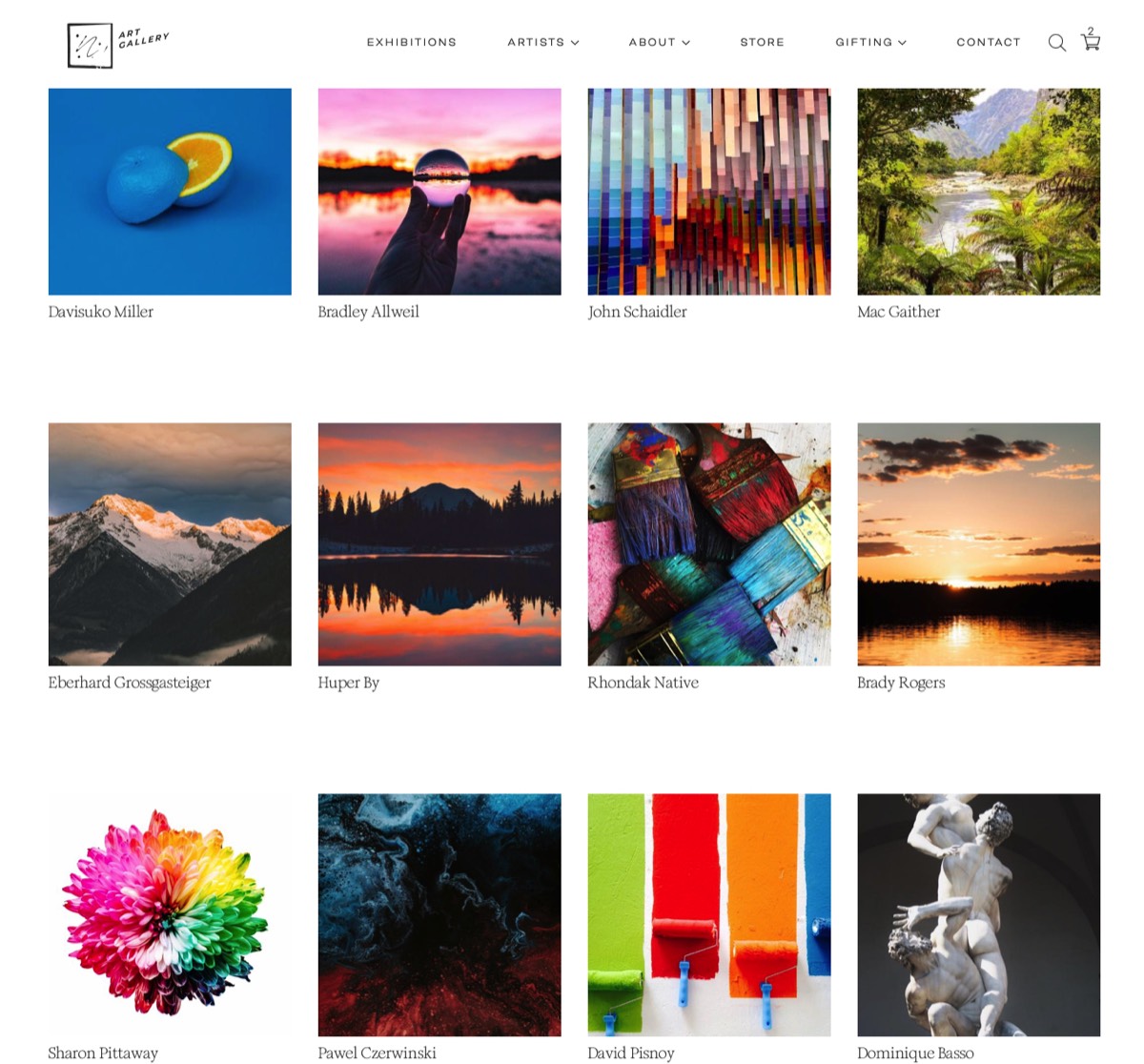
Automatic Art Gallery Web Site Builder
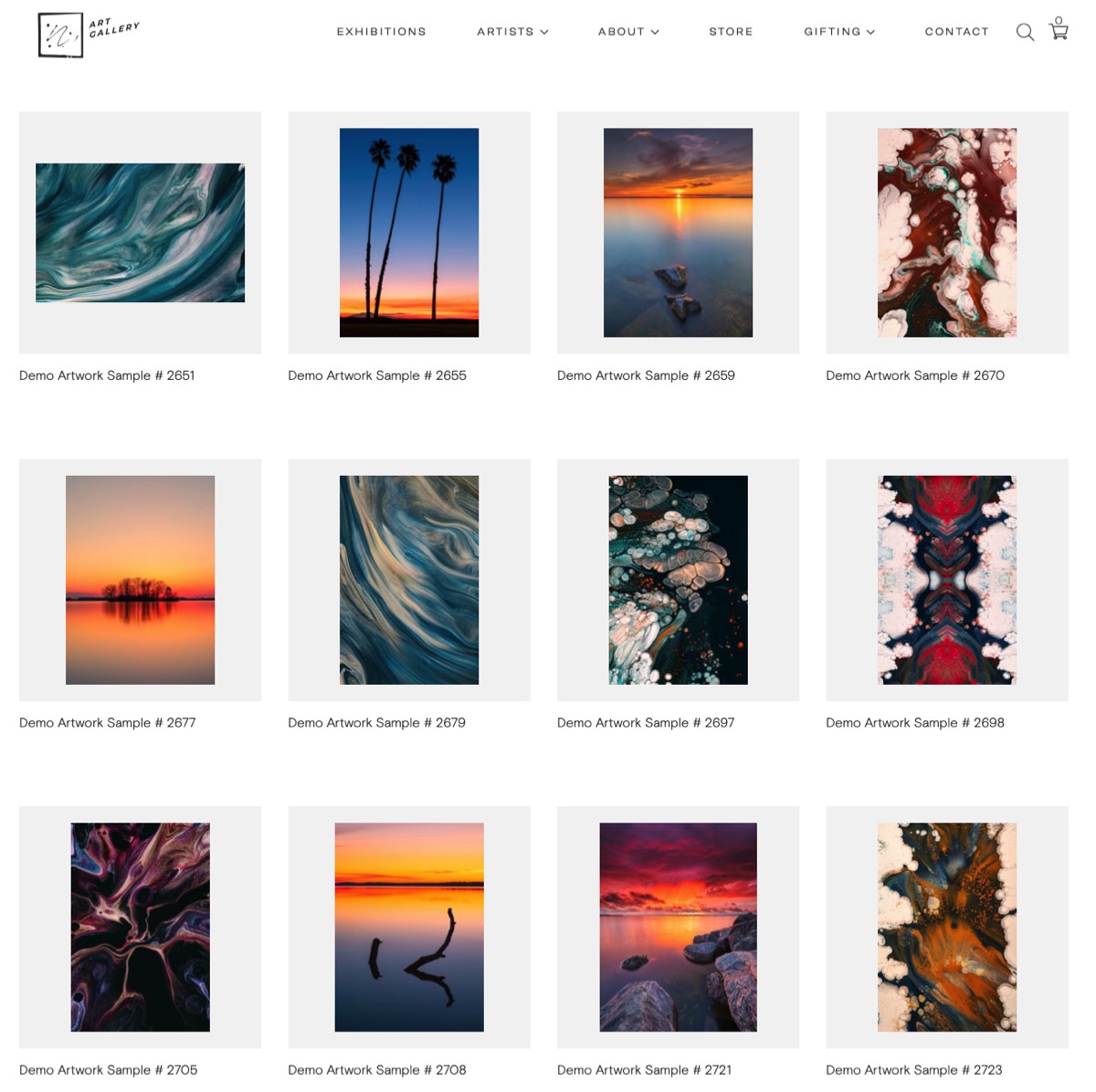
How to manage an Art Gallery with dedicated Art Gallery Software?
Managing an art gallery can be a complex task, but using art gallery software can help simplify many aspects of the job. Here are some tips for successfully managing an art gallery with art gallery software:
Checklist for Art Galleries:
How to Select and Implement Art Gallery Software for your art business:
1. Review software requirements:
Understand the specific software needs of the art gallery, including the type of software required (e.g., inventory management, sales tracking, customer relationship management), any compatibility requirements, and the number of licenses needed.
2. Research and select software:
Conduct thorough research to identify software options that meet the art gallery's requirements. Consider factors such as functionality, user-friendliness, scalability, and cost. Once selected, obtain the necessary licenses or subscriptions.
3. Prepare infrastructure:
Ensure that the art gallery's infrastructure meets the software's technical requirements. This may include hardware upgrades, network configurations, and software installations.
4. Data migration:
If the art gallery is transitioning from an existing software system, plan and execute the migration of data to the new software. Ensure that data is transferred accurately and securely, and perform thorough testing to verify the integrity of the migrated data.
5. Training and documentation:
Develop training materials and documentation to help users understand the software's features and functionality. Conduct training sessions for staff members who will be using the software, ensuring they are proficient in its usage.
6. User access and permissions:
Set up user accounts and define appropriate access levels and permissions based on the roles and responsibilities of staff members. This ensures that each user has the necessary access to perform their tasks while maintaining data security.
7. Integration with existing systems:
If the art gallery's software needs to integrate with other systems or platforms (e.g., accounting software, e-commerce platforms), configure and test the integrations to ensure seamless data flow and functionality.
8. Testing and quality assurance:
Conduct thorough testing of the software to identify and resolve any bugs or issues. Test all features and functionalities to ensure they work as expected and meet the art gallery's requirements.
9. Go-live and support:
Once testing is complete and the software is deemed ready for production use, schedule a go-live date. Provide ongoing support to users, addressing any questions or issues that arise during the initial implementation phase.
10. Continuous monitoring and improvement:
Regularly monitor the software's performance, gather user feedback, and make necessary improvements or updates. Stay up to date with software updates and security patches to ensure the system remains stable and secure.
Remember to tailor this checklist to the specific needs and requirements of the art gallery and the software being onboarded.
… view the checklists for art galleries here
CRM - Customer & Artist Relationship Manager for Art Galleries
App Modules of a CRM - Customer and Artist Relationship Management System for Art Galleries
A CRM system typically includes the following modules:
1. CRM Artist Module and Artist Portal Module:
Access all relevant artist data such as artist profile, artist sales, access to consignment data and payouts. Art inventory app. Artist listings and reports. Past communication with artists, notes, consignment contracts, artist
2. CRM Customer Module.
Access and maintain customer data. Purchase history, invoice data, marketing activities, notes, tasks, scheduled follow-up's, email from the system, customer listings and reporting.
2 Sales & POS Module:
This module includes features such as lead management, opportunity management, and sales forecasting.
3. Marketing Module:
This module includes features such as email marketing, social media marketing, and campaign management.
4. Customer Service Module:
This module includes features such as case management, ticket tracking, and knowledge management.
5. GalleryConsignment Management
Get control over your consignments. Schedule and execute payouts to artists and create remittance advice.
6. Art Gallery Insights and Analytics Module:
This module includes features such as reporting, dashboards, and data visualization.
7. Web Page Creation and Web Site Publishing - Art Gallery Web Content Management
Fully automated with Artist portal and private rooms included.
Artist Management
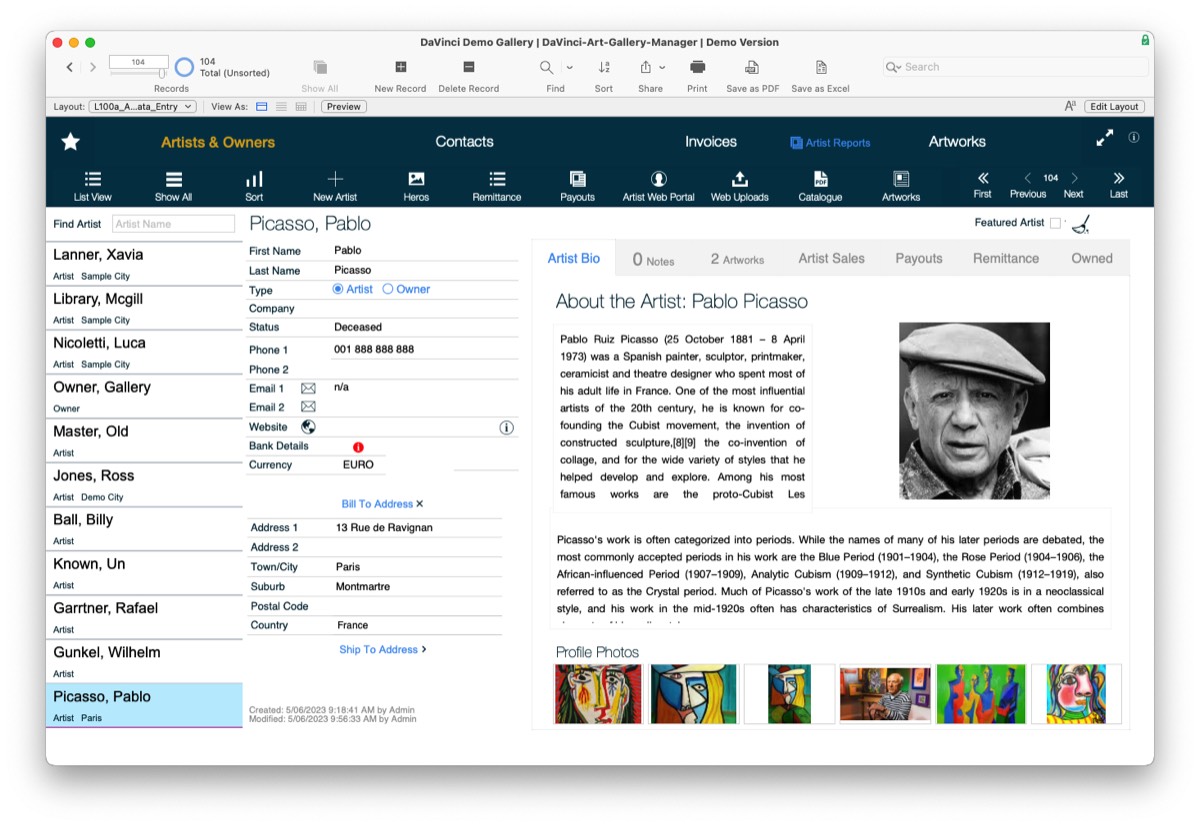
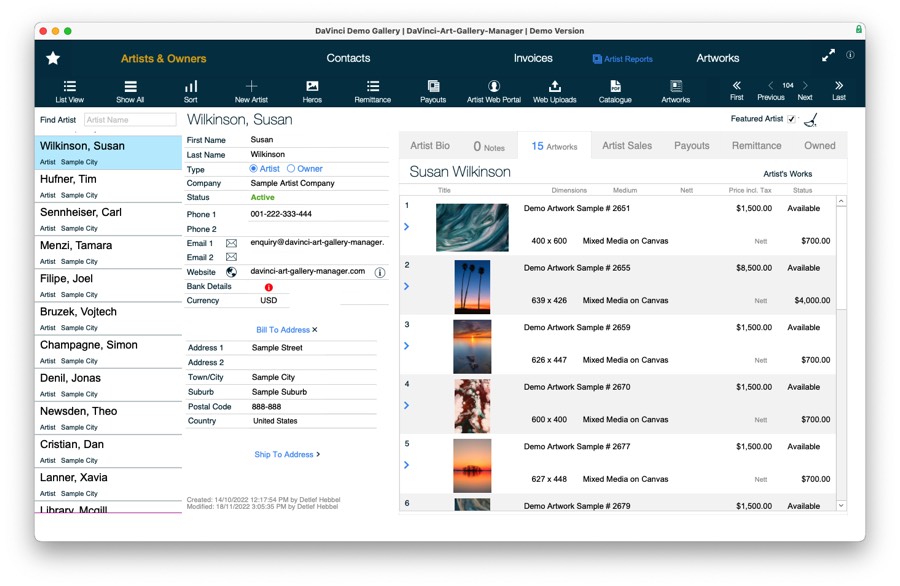
Artist Database & Artist Web Portal
CRM - Customer and Artist Relationship Management for Art Galleries
Customer & Artist Relationship Management (CRM) is a software system that helps art gallery businesses manage their interactions with customers and potential customers. CRM software for art galleries is designed to streamline the communication, sales process, improve customer service, and increase customer satisfaction. In this essay, we will explore the features and benefits of a CRM system, as well as the various modules that make up a typical CRM system.
Features of a CRM System for Art Galleries
A CRM system typically includes the following features:
1. Art Gallery Contact & Artist Management:
This feature allows businesses to keep track of customer information such as names, addresses, phone numbers, and email addresses. This information can be used to personalize communication with customers and to keep track of customer interactions.
2. Art Gallery Sales Management:
This feature helps businesses manage their sales pipeline by tracking leads, opportunities, and deals. Sales managers can use this feature to assign tasks to sales reps, track sales performance, and forecast sales revenue.
3. Art Gallery Marketing Automation:
This feature allows businesses to automate their marketing campaigns by creating targeted email campaigns, social media posts, and other marketing materials. Marketing automation can help businesses save time and money while improving the effectiveness of their marketing efforts.
4. Customer Service:
This feature allows businesses to manage customer inquiries, complaints, and support requests. Customer service reps can use this feature to track customer issues, assign tasks to other team members, and provide timely responses to customer inquiries.
Benefits of a CRM System for Art Galleries
A CRM system can provide a number of benefits to businesses, including:
1. Improved Customer and Artist Relationships:
A CRM system can help businesses build stronger relationships with their customers by providing personalized communication, timely responses to inquiries, and better customer service.
2. Increased Art Gallery Sales Revenue:
By streamlining the sales process and providing sales reps with the tools they need to close deals, a CRM system can help businesses increase their sales revenue.
3. Cost Savings:
By automating marketing campaigns, managing customer interactions more efficiently, and improving the sales process, a CRM system can help businesses save time and money.
4. Better Art Gallery Data Management:
A CRM system can help businesses manage customer data more effectively by centralizing customer information and providing easy access to customer data for all team members.
In conclusion:
A CRM system can provide art gallery businesses with a number of benefits, including improved customer relationships, increased sales revenue, cost savings, and better data management. The key features of a CRM system include contact management, sales management, marketing automation, and customer service. The modules of a CRM system include sales, marketing, customer service, and analytics. By implementing a CRM system, businesses can streamline their operations, improve their customer interactions, and grow their bottom line.
… more art gallery software modules: Click
Art gallery stock / inventory management
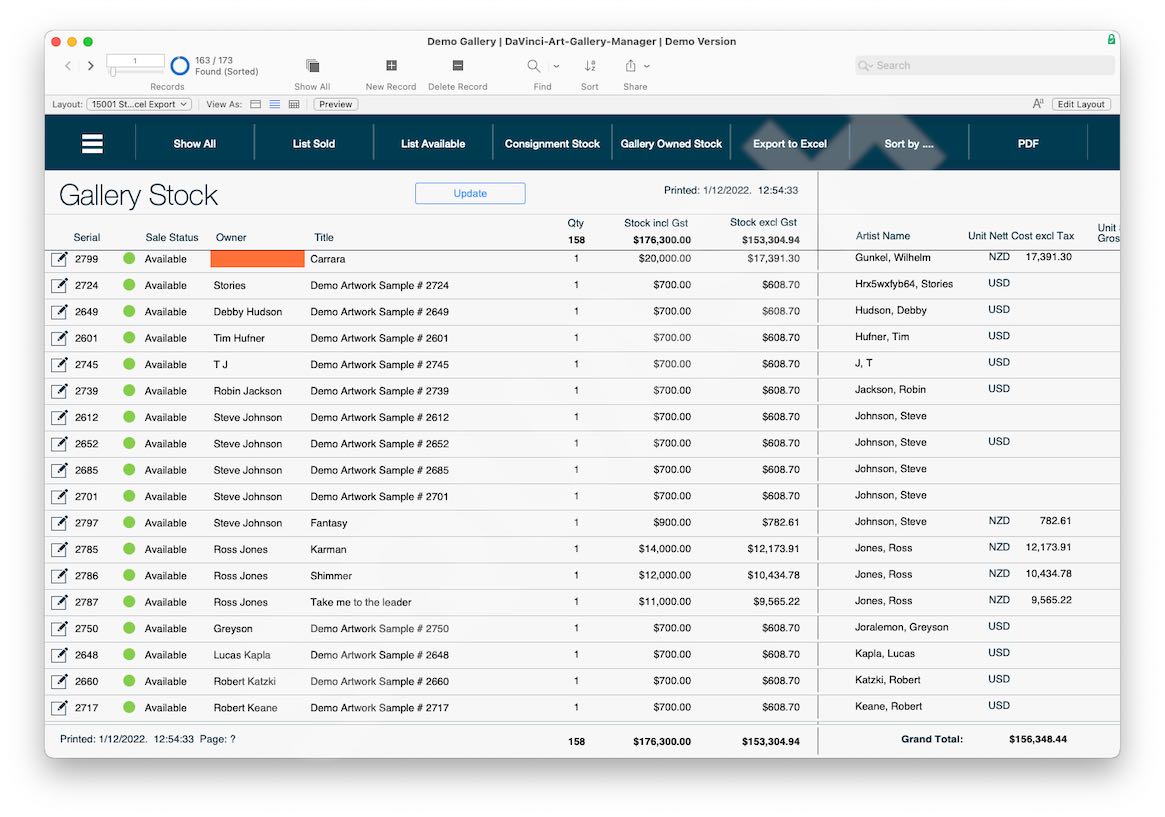
Art Inventory Software for Galleries
Art Galley Inventory
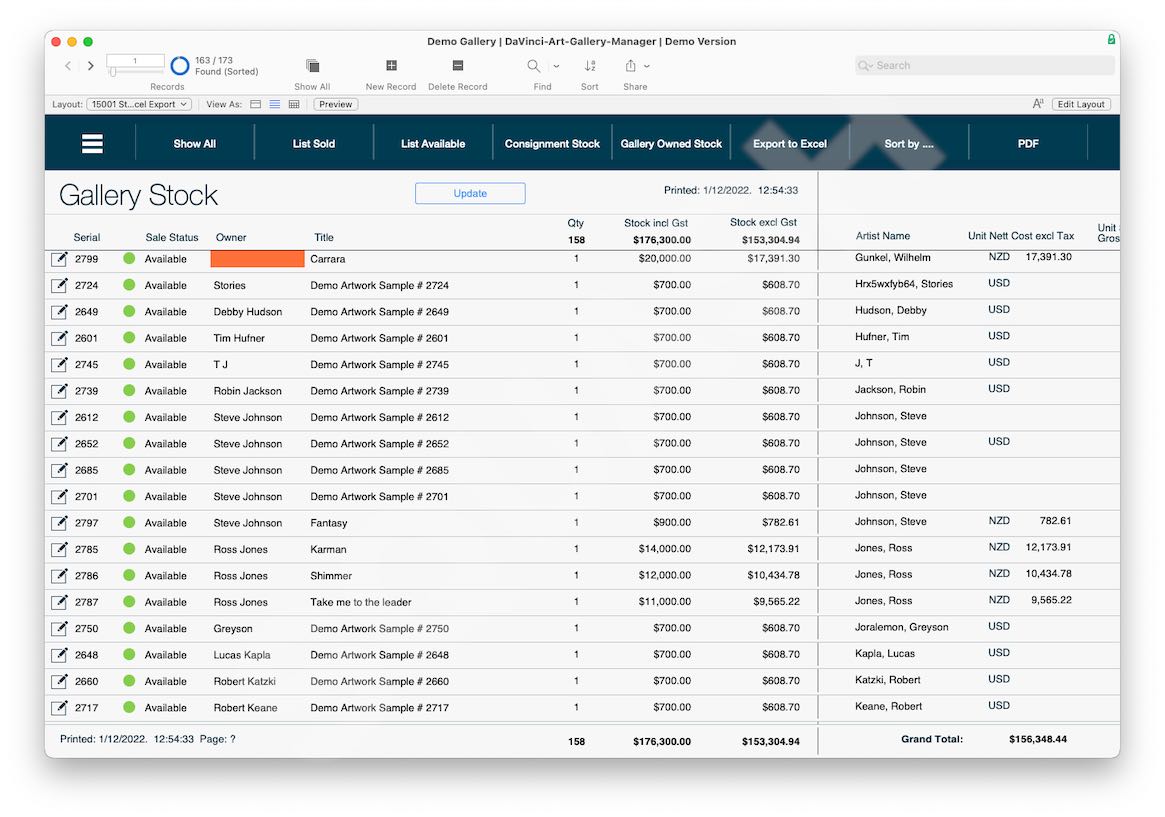
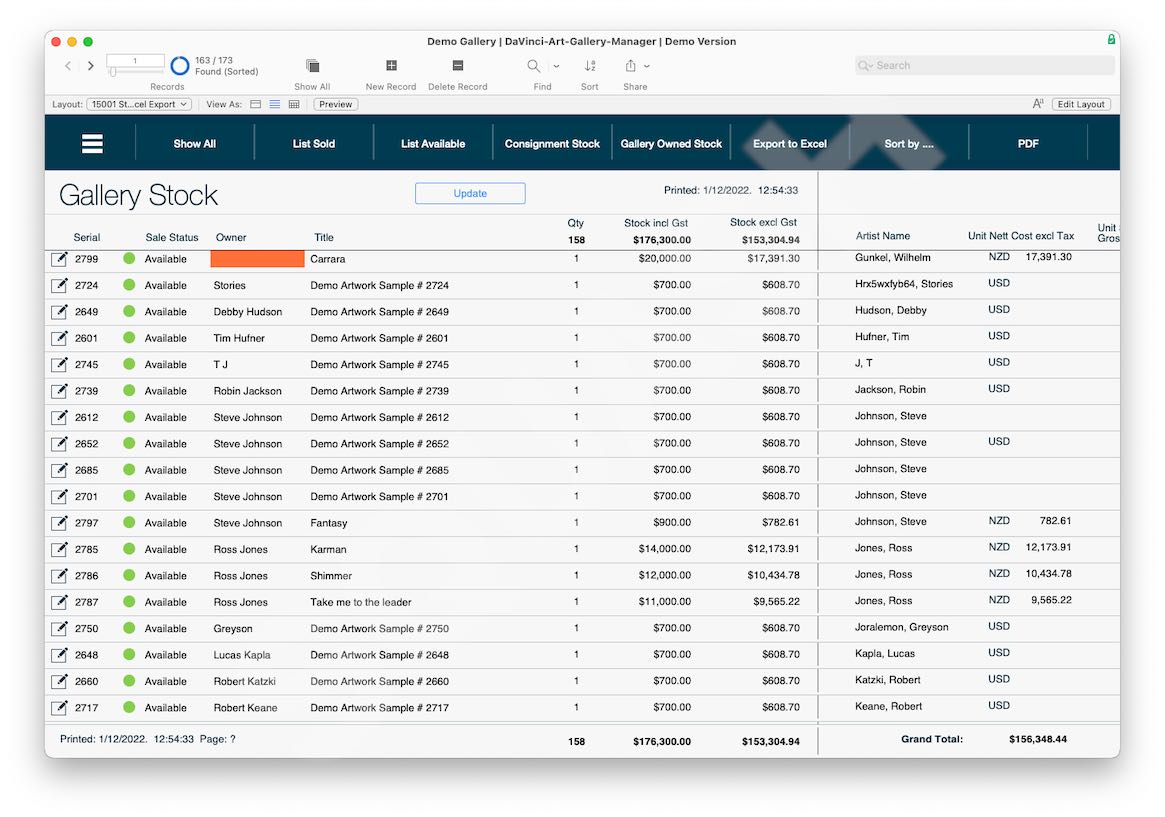
Art Gallery Inventory Management
- Artist inventory software
- Art gallery inventory management software
- Art inventory management
- Purchase Orders
- Stock Entry
- Stock Locations
- Consignment Report
- Owners Report
- Artwork Photo Library
- Web Integration- Listings
- Detail Views
- Quick Find
Better and Faster Inventory / Stock Control
Art Inventory management software and stock control:
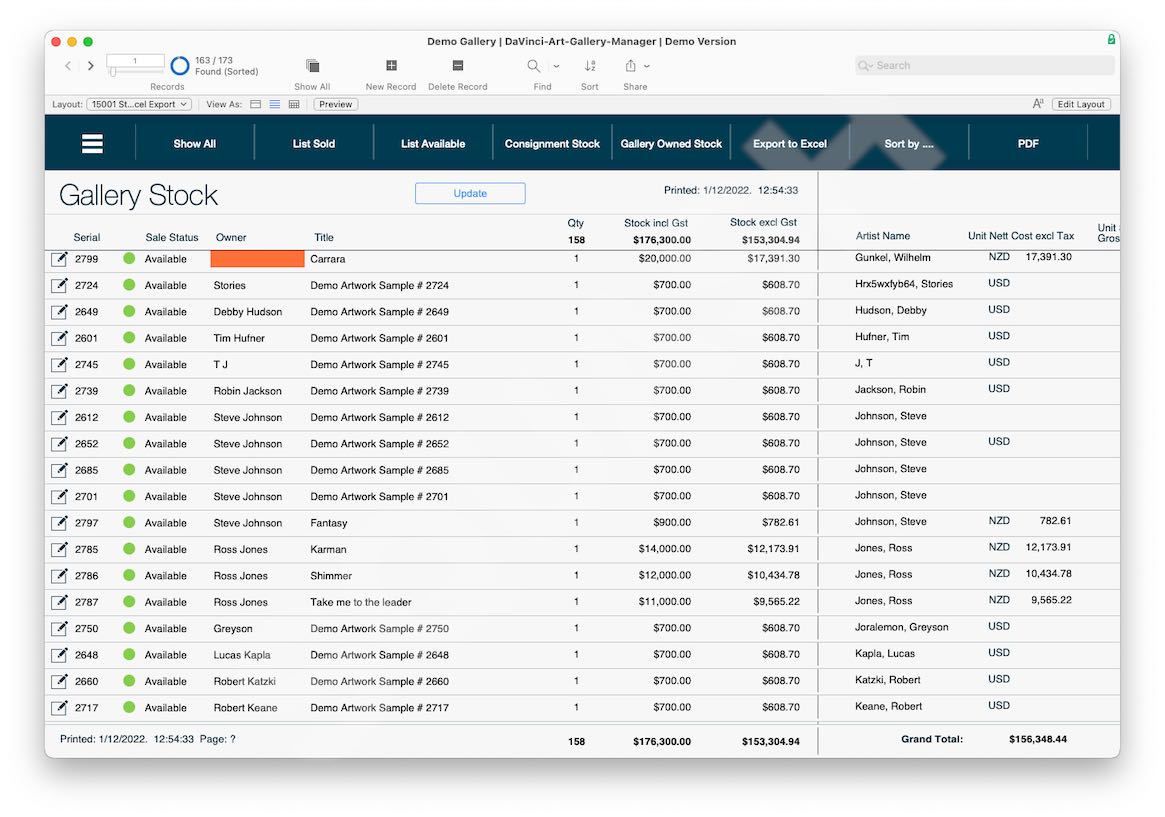
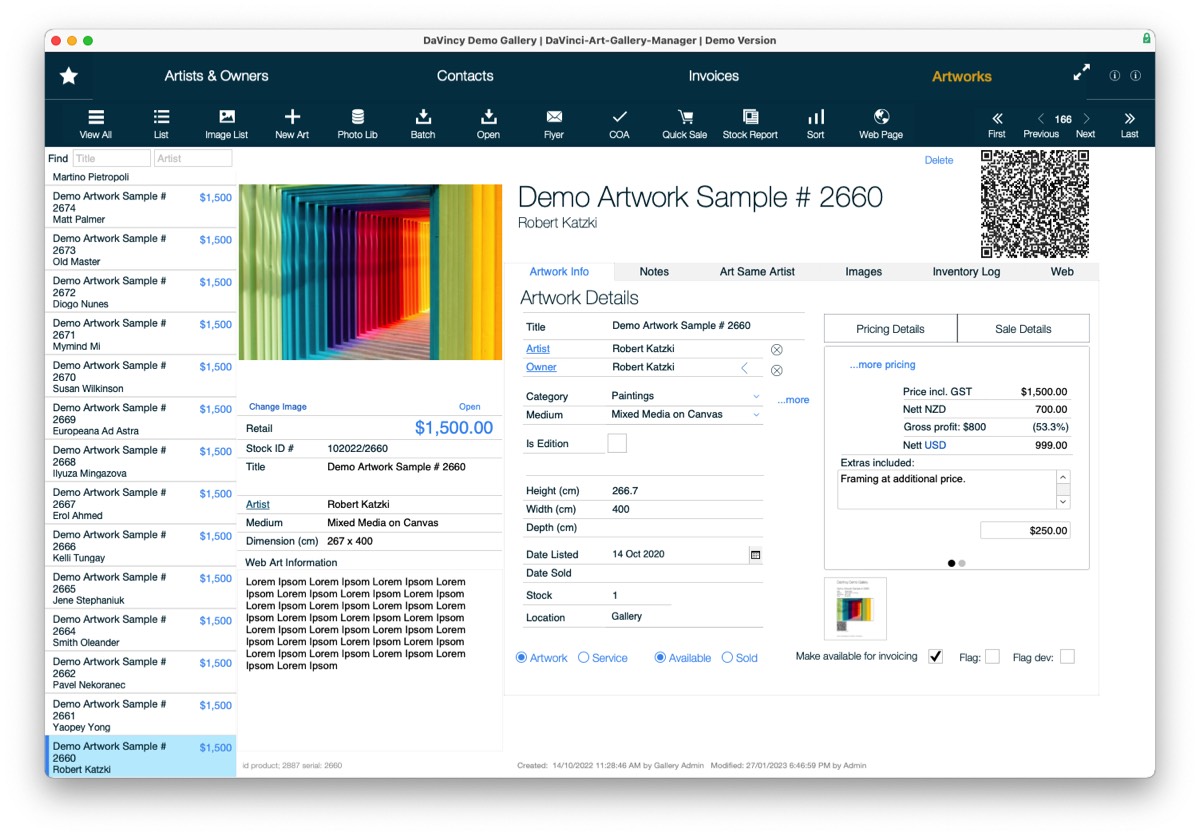
Organize and manage your complete art inventory as well as artist and owner consignments and generate detailed inventory reports. Easily access data on an artwork's location, value, exhibition history, and important inquiry details such as if the piece is part of a series or a limited edition.
… more art gallery software modules: Click
Inventory Listings
Art gallery consignment software
Art Gallery Software Consignment Management / Payouts
Consinment Management
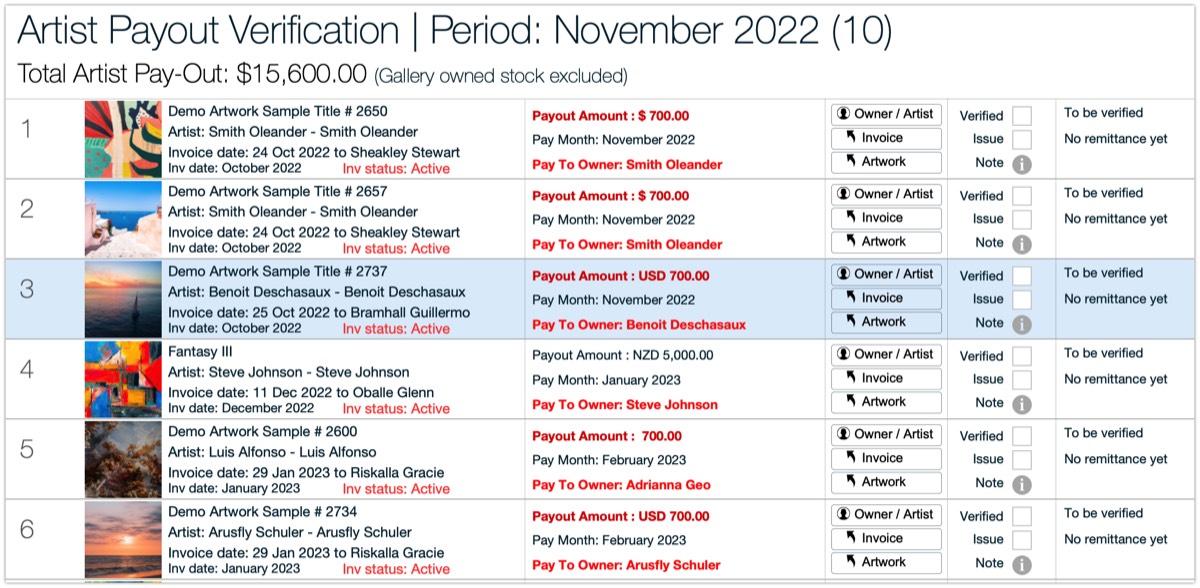
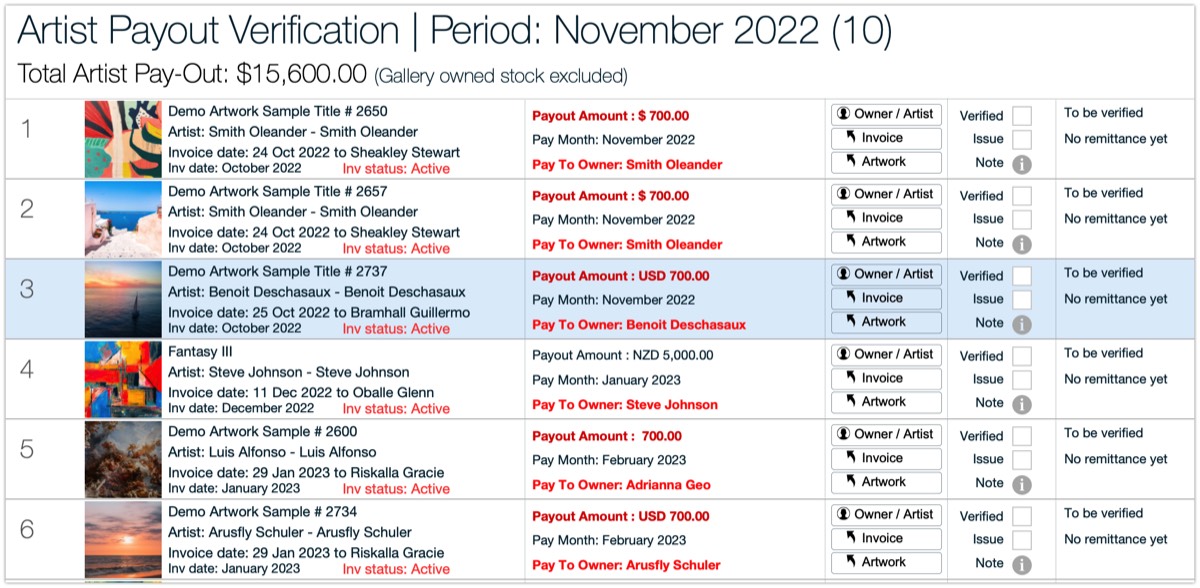
Art Gallery Payout Management
Consignment management software allows art galleries to keep track of the artwork they have on consignment from artists. This software typically includes features such as inventory management, pricing control, and automated consignment agreements. Inventory management allows galleries to keep track of the artwork they have on consignment. Pricing control helps galleries ensure that they are selling the artwork at the correct price and can easily adjust prices when necessary.
Payout management software allows art galleries to accurately calculate payouts to artists. This software typically includes features such as sales reporting, commission tracking, and payment processing. Sales reporting provides galleries with up-to-date information on the artwork sold and the amount of commission owed to the artist. Commission tracking helps galleries keep track of the percentage of the sale price owed to the artist. Payment processing automates the process of sending payments to artists, which saves time and reduces errors. By using these features, galleries can ensure that they pay their artists accurately and on time, which helps to maintain positive working relationships between artists and galleries.
… more art gallery software modules: Click
Art Gallery Consignment Management / Payouts / Artist Remittance Advise
- Artist inventory software
- Automatic Payout Scheduling
- Payouts Verification
- Payouts Composer
- Payouts Scheduler
- Payouts Statements / eMail
- Remittance Advice
- eMail Remittance
- Print Remittance
- Listings
- Detail Views
- Reports
Gallerie's Consignement Owner Listings
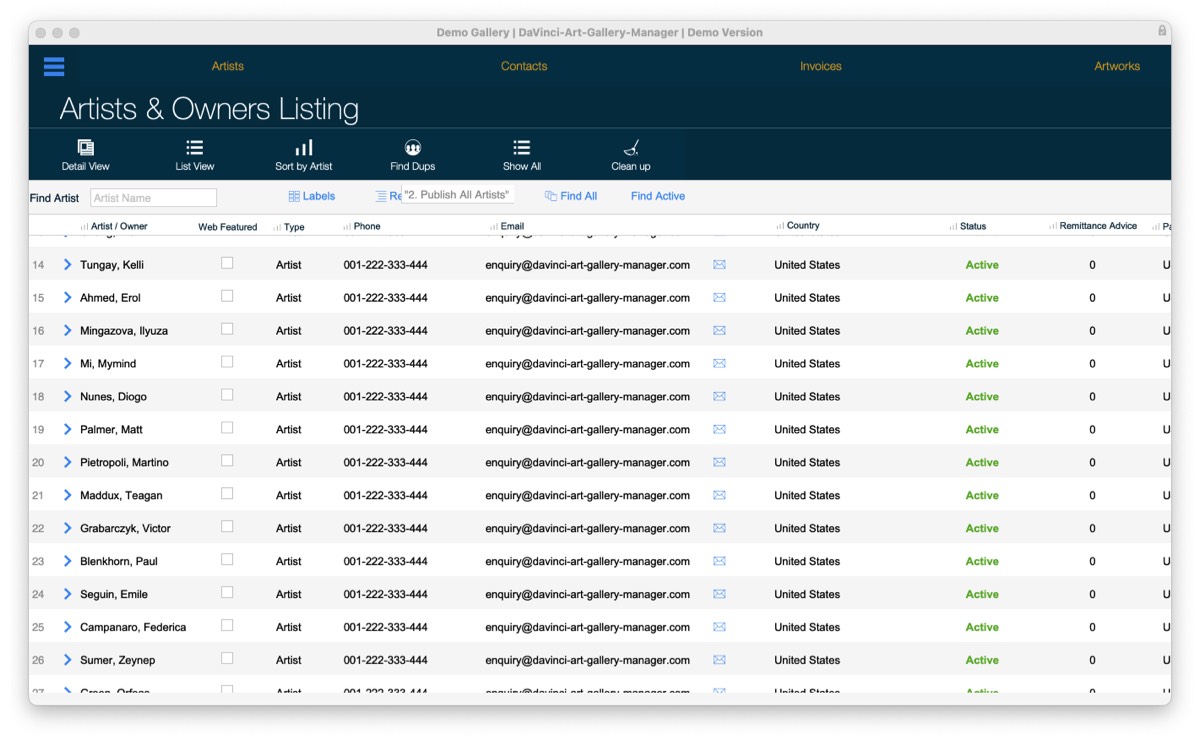
Art Gallery Software Invoicing / Billing / Payments
Art Gallery Software Invoicing / Billing
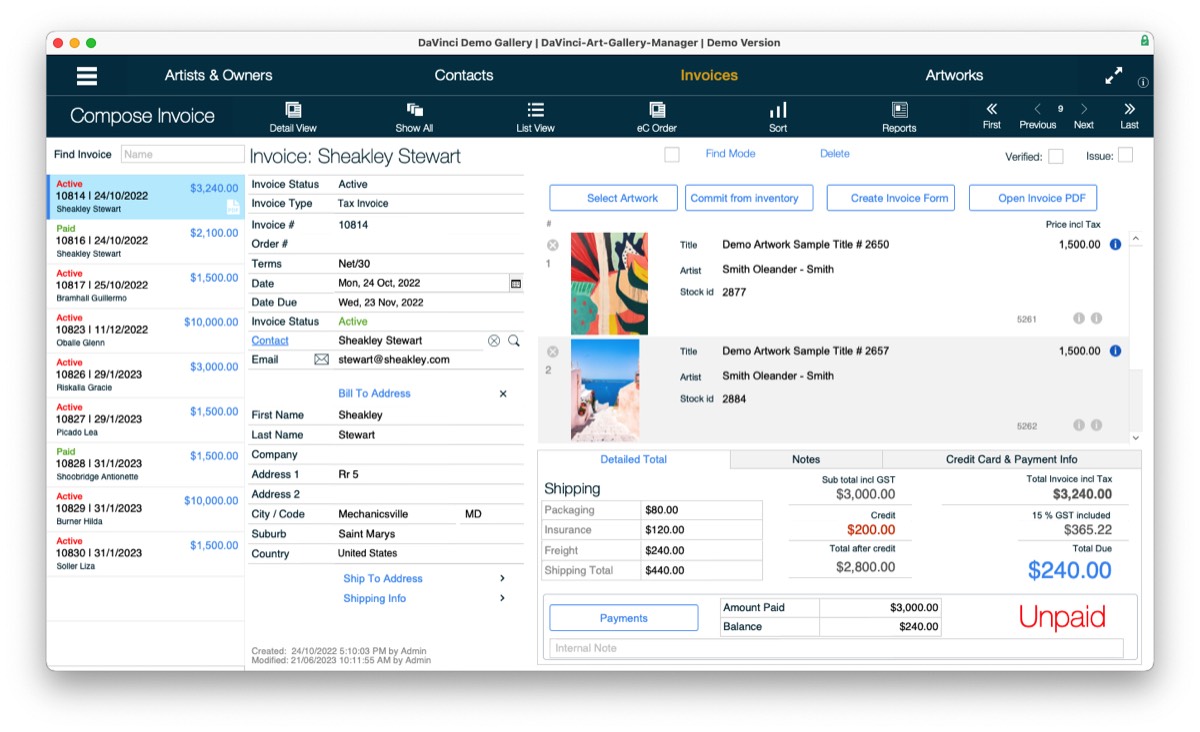
Art Gallery Invoicing & Accounts: Fast and easy invoicing / billing. Automatically update the customer cards, artist and artworks records. Add multiple artworks to an invoice, each with different discounts. In accounts, you can build reports, print lists and export data relating to purchased, sold and consigned artworks. Keep your customer and artist records highly secure in the integrated data vault.
- Invoice Composer
- art gallery invoice templates
- Multi Line Items per Invoice
- Create Payouts Remittance PDF
- Invoice eMailer
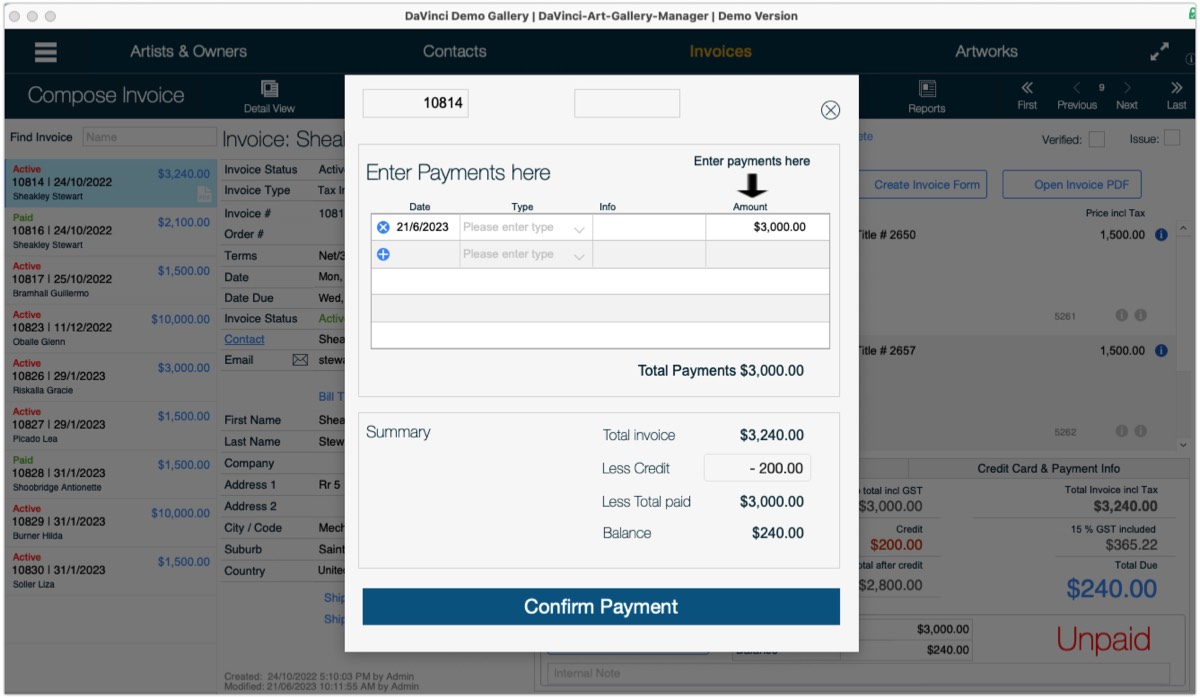
- Payments
- Payable Statement
- Listings
- Detail Views
- Reports
- Access to Line Items Records
- integrate with bookkeeping software for art galleries
- XERO or Quick Books Accounting Integration
Customer Invoicing / Billing
Customer Paments
Invoicing and billing software modules are essential features of any art gallery software package. The following are some of the important features of invoicing and billing software in Gallery software packages:
1. Customizable invoicing templates: Gallery software packages provide customizable invoicing templates that allow users to create professional-looking invoices that reflect their brand identity. These templates can be customized with the user's logo, colors, fonts, and other design elements.
2. Automated invoicing: Gallery software packages automate the invoicing process, which saves time and reduces the risk of errors. Users can set up recurring invoices for regular customers, and the software will automatically generate and send the invoices at the specified intervals.
3. Payment processing: Gallery software packages provide payment processing features that allow users to accept payments from customers online. These features support multiple payment methods, including credit cards, PayPal, and bank transfers.
4. Expense tracking: Gallery software packages include expense tracking features that allow users to track expenses related to their business. This information can be used to generate accurate financial reports and to ensure that expenses are being properly accounted for.
5. Billing and invoicing reports: Gallery software packages provide billing and invoicing reports that give users an overview of their billing and invoicing activities. These reports can be used to identify trends, track payments, and monitor outstanding invoices.
6. Integration with accounting software: Gallery software packages integrate with popular accounting software, such as QuickBooks and Xero, which allows users to streamline their accounting processes. This integration ensures that billing and invoicing data is automatically synced with the user's accounting software, reducing the risk of errors and saving time.
In conclusion, invoicing and billing software are important features of Gallery software packages. These features provide users with the tools they need to create professional-looking invoices, automate the invoicing process, accept payments online, track expenses, generate reports, and integrate with accounting software. By using invoicing and billing software, businesses can streamline their billing and invoicing processes, reduce errors, and save time and money.
… more art gallery software modules: Click
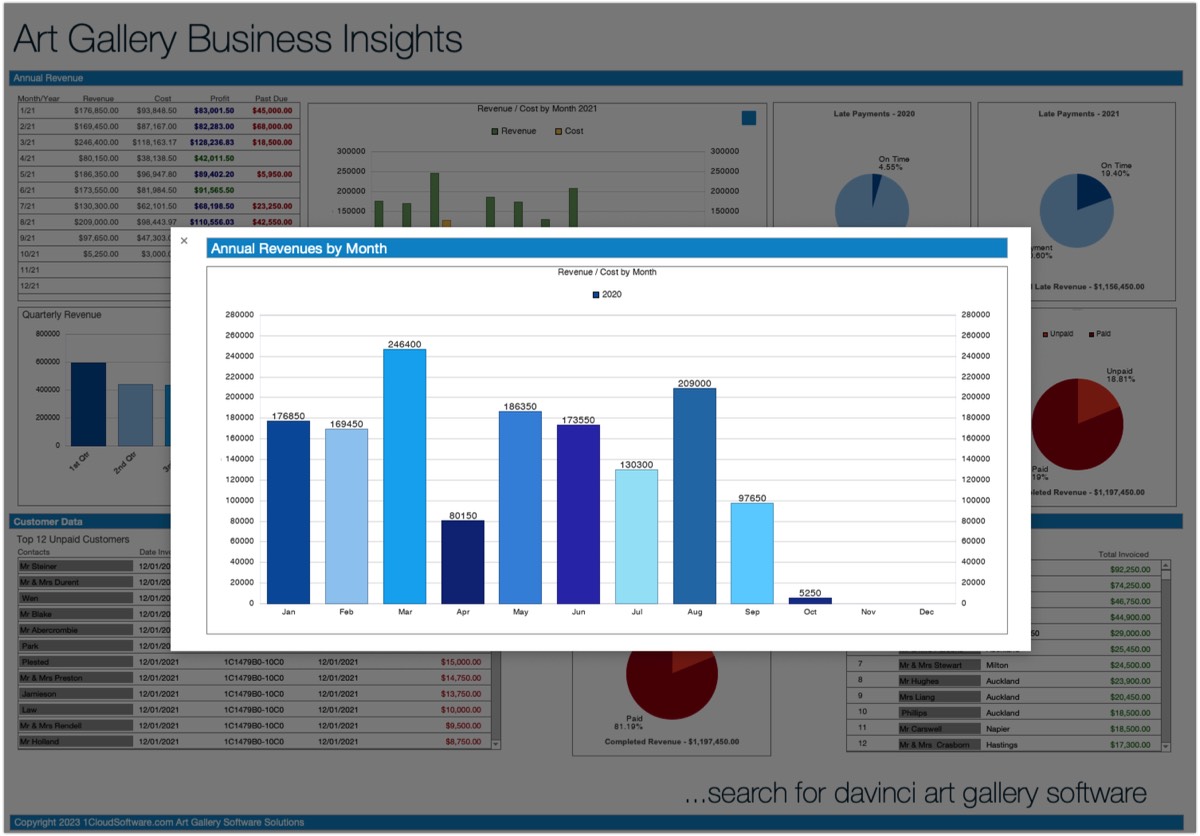
Art Gallery Software Dashboard
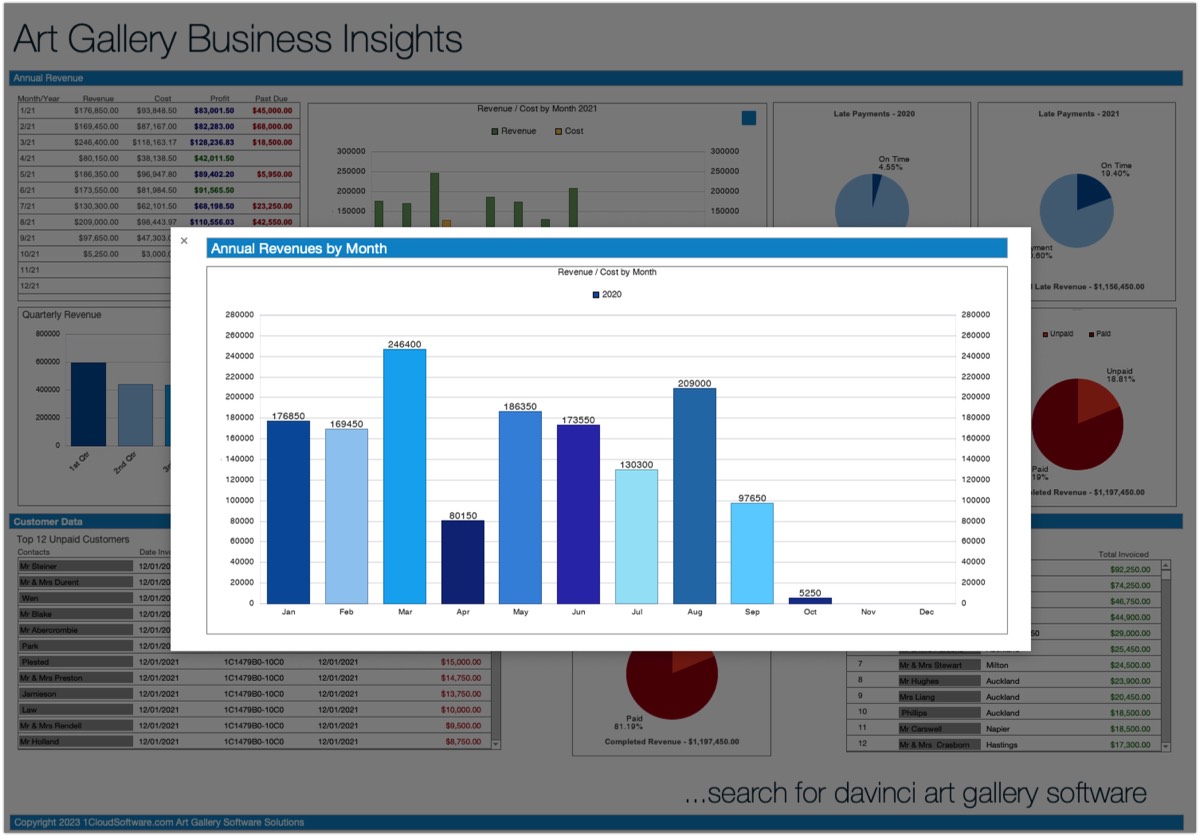
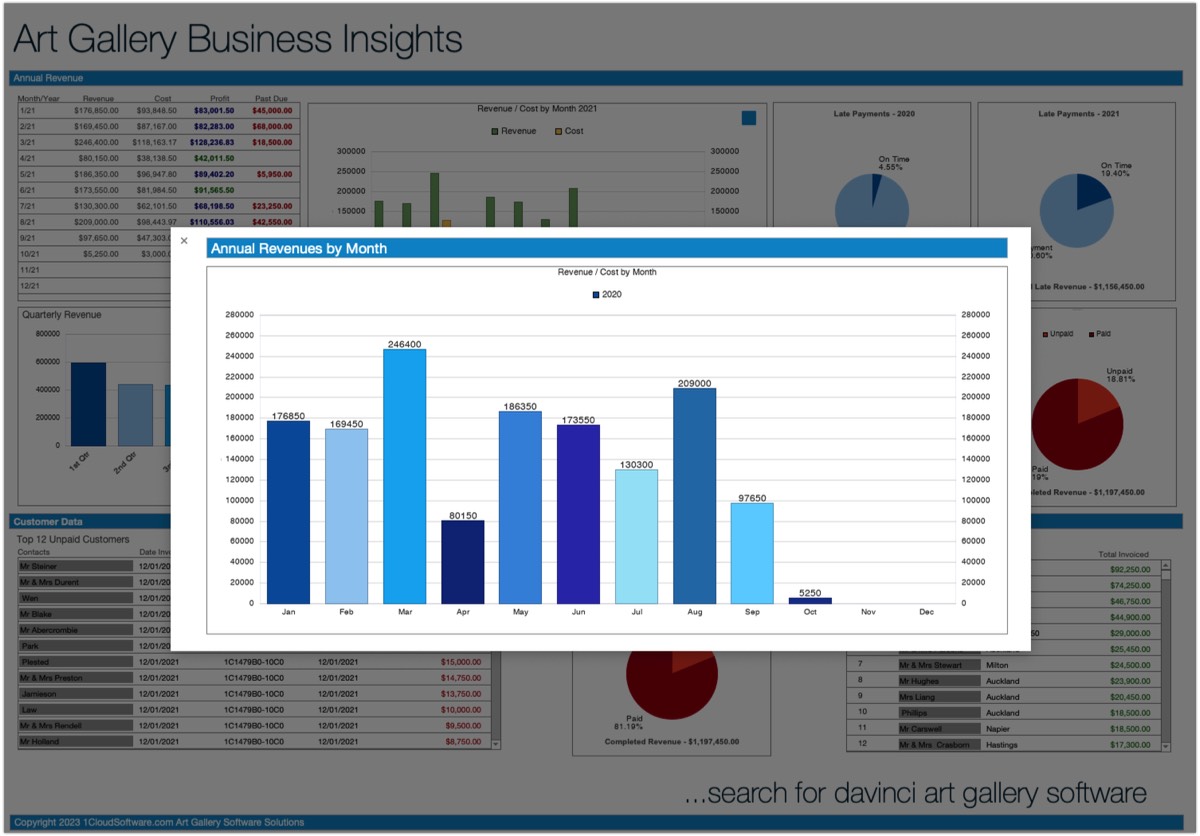
Using Davinci Art Gallery Software System will enable the Art Gallery Management to easily gather important information about their gallery business from the integrated Gallery Insights Dashboard.
A dashboard is a powerful tool for art galleries to gain insight into their sales and financial performance. With a dashboard, galleries can easily visualize their data and make informed decisions based on the information presented. In this essay, we will discuss the features and advantages of a dashboard for an art gallery’s business insight.
An Art Gallery business dashboard provides an overview of the gallery’s sales and financial performance. This includes information such as revenue, expenses, profit margins, and sales trends. The dashboard can be customized to display the most important metrics for the gallery, allowing the owner or manager to quickly assess the health of the business. This information can be displayed in a variety of visual formats, such as graphs, charts, and tables, making it easy to understand and interpret.
… more art gallery software modules: Click
Interactive Dashboard
Davinci Art Gallery Software: Organise Your Artwork Stock / Inventory
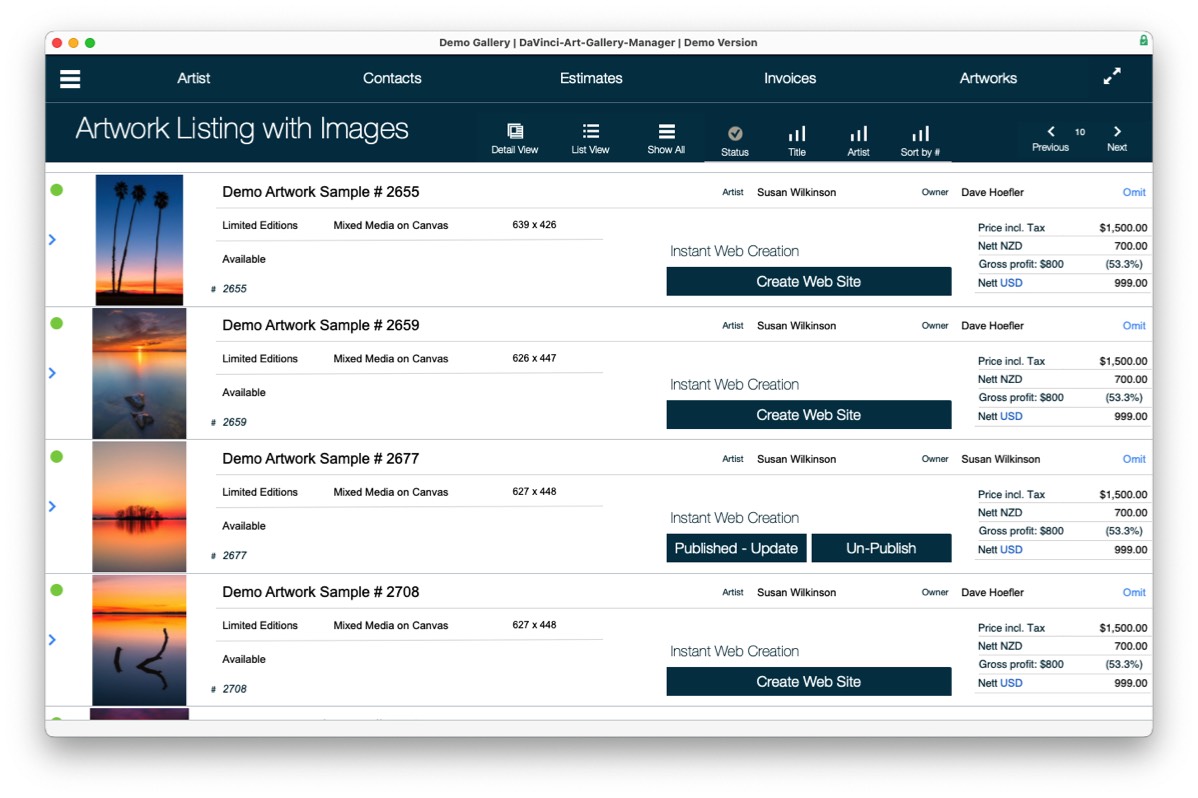
Beautiful and Functional Art Gallery Listings and Reporting
Versatile, Easy to Use Art Gallery Solution on Mac, Windows and Linux
Mobile Devices
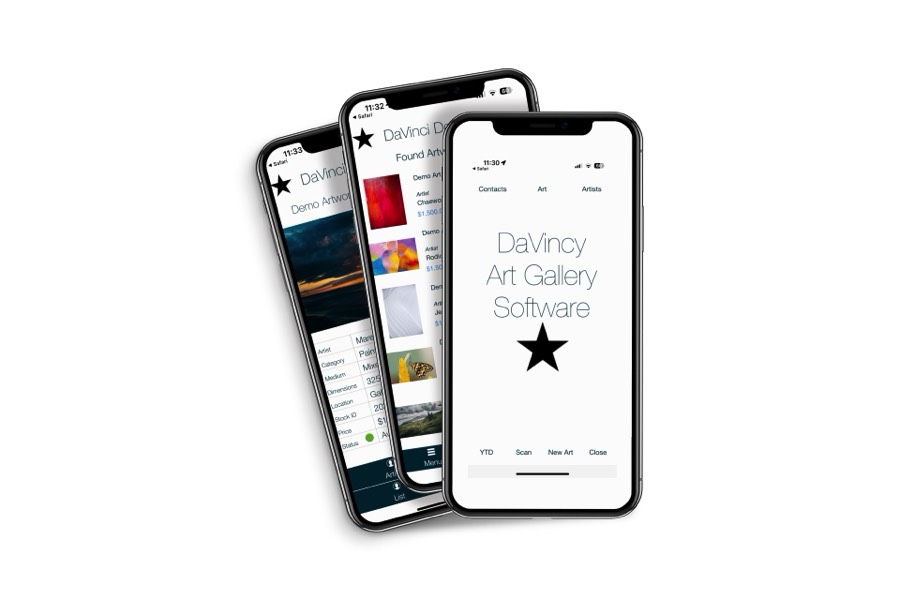
Use mobile devices for your Art Gallery
- art gallery software iPhone
- art gallery software iPad
- art gallery software Tablet
Loook-up customer or artwork information with your mobile devices.
iPhone for Art Galleries
Art Gallery Software: Artwork Marketing - Flyer with QR Code
COA - Certificate of Authenticity
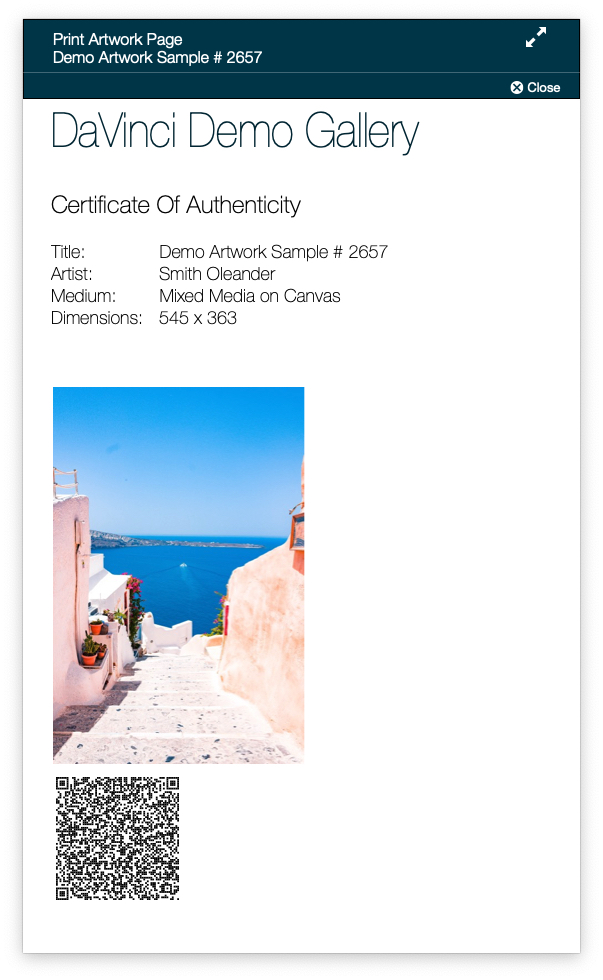
COA - Certificate Of Authenticity is important for art galleries because it provides documentation that a particular artwork is genuine and created by the artist it is attributed to. This document can help establish the provenance of the artwork, which can increase its value and protect against fraud. Additionally, it can provide important information about the artwork, such as its medium, date of creation, and any restoration or conservation work that has been done. This information can be helpful for collectors, curators, and scholars who are interested in the artwork's history and context.
About DaVinci Art Gallery Software
What is DaVinci Art Gallery Software?
Software Name: DaVinci
In short:
Dedicated Art Gallery Admin + Sales & Marketing + Web Sites + eCommerce software for any art business
Who are we, the developers?
e-business.co.nz Ltd & 1CloudSoftware Ltd, founded 1996, are expert developers for integrated Art Gallery Workflow, database Software solutions, web development and cloud based bespoke software. We provide secure FileMaker server hosting from global international data centres.
We are an accredited Claris FileMaker partner and an authorized reseller for the Claris FileMaker workflow software platform.
Read more about ' What is Art Gallery Software: Click here
This Art Gallery Software solution is made with and Claris FileMaker

About: The Developer :: Detlef Hebbel
About: Detlef Hebbel & The Developer
Professional Background
Aerospace Industry:
- Professional training at Lufthansa German Airlines in Hamburg, Germany
- ESeringas an Aircraft Engineer at the Lufthansa testbed for Pratt & Whitney Turbo-jet engines JT8d and JT3d
Subsequently, he completed three years of training and education in accounting and commerce at business schools in Hamburg, where he developed expertise in Market Research, Business Research, and computer-based analytics. (Rudolf Otto Meyer, Hamburg)
IT Software Industry:
- Software solutions Account Manager, Sales & Marketing of Computer to Small and Medium Businesses
- Employment with prominent traditional German companies such as Deutsche Olivetti and Kienzle Data Systems
In the late 1970s, Detlef assumed the role of General Manager of the Wang Computer Division in Kuwait. He was also a founding member of ABS Al Awadhi Business Systems, a Kuwait-based entity.
Nixdorf Computer & Overseas Business:
During the 1980s, Detlef gained significant experience as Sales Manager at Nixdorf Computer AG, a prominent German computer company active during that period and the early 1990s. He subsequently took on the position of Country Manager for Middle East, Egypt, Saudi Arabia, Israel, New Zealand, and Sri Lanka.
New Zealand
From 1987 to 1990, Detlef Hebbel served as the General Manager for the New Zealand Nixdorf Computer subsidiary. During this period, he and his team successfully achieved the “Peak Of Performance” award from Nixdorf worldwide. However, Nixdorf in Germany faced challenges during this period due to a weak order situation.
Detlef Hebbel, a resident of New Zealand, founded Internet New Zealand after his tenure at Nidorf Computer. Subsequently, he established a dedicated company specializing in business consulting and software solution development.
Claris FileMaker Databases to AI
Hebbel became involved with FileMaker, a subsidiary of Apple Inc. and a prominent provider of database software. FileMaker is renowned for its user-friendly database solutions, enabling users to create customized applications tailored to their specific needs. In New Zealand, FileMaker has had a significant impact on small to medium-sized enterprises (SMEs), providing tools that streamline data management and enhance productivity.
Vertical Markets Business Solutions & Secure Cloud Hosting
Utilizing his skills in business consultation, business workflows, solution development, system analytics, trading, support, and secure cloud base hosting, Detlef Hebbel has developed software solutions for vertical markets such as: “Da Vinci Art Gallery Management Software” for Art Galleries, “Inspection.software” for the health and safety industry, and AI-enhanced modules. Detlef operates and owns a private secure sever farm with macOS compatible servers.
Personal Interests
Hebbel is passionate about his work. Notably, he also founded BMW Motorcycle Tours in New Zealand, a specialized tour inbound operator, providing and operating high-quality motorcycle vacations on BMW motorcycles. The company operated for four years. As a German citizen, Hebbel resides in New Zealand and has served as a board member at various institutions within the country.
This At GallerySoftware solution is made with and Claris FileMaker
Cloud Hosting Locations

Art Gallery Software
Art Gallery Software on iPhone
Art Gallery Software on iPad
Art Gallery Contacts, Customer Management
Automatic Art Gallery Web Site Builder
Automatic Art Gallery Inventory/ Consigments
About DaVinci Art Gallery Software
What is DaVinci Art Gallery Software?
Software Name: DaVinci
In short:
Dedicated Art Gallery Admin + Sales & Marketing + Web Sites + eCommerce software for any art business
Who are we, the developers?
1CloudSoftware Ltd, founded 1996, are expert developers for integrated Art Gallery Workflow, database Software solutions, web development and cloud based bespoke software. We provide secure FileMaker server hosting from global international data centres.
We are a Claris FileMaker partner and an authorized reseller for the Claris FileMaker workflow software platform.
Read more about ' What is Art Gallery Software: Click here
This Art Gallery Software solution is made with
Beautiful Art Gallery Business Reports